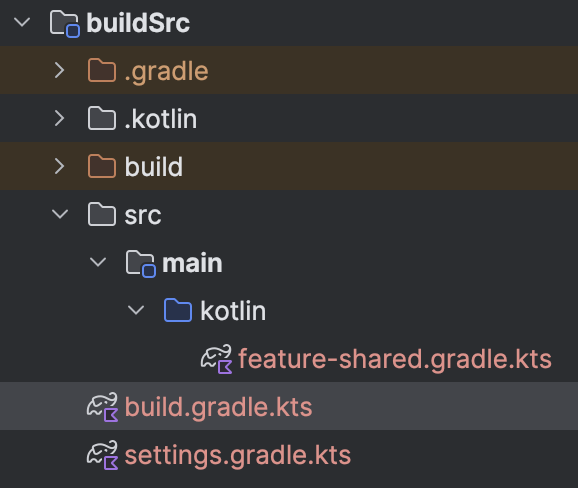
I’m trying to create a pre-compiled script plugin to share configuration across my features. I’m using buildSrc in my Android project.
When I try to sync Gradle, this is the error output. Do you have any advice on how to fix it?
OuputError
gradle-8.13
Plugin [id: 'com.android.library'] was not found in any of the following sources:

- Gradle Core Plugins (plugin is not in 'org.gradle' namespace)
- Included Builds (No included builds contain this plugin)
- Plugin Repositories (plugin dependency must include a version number for this source)
You have a compileOnly dependency on AGP only.
That means your plugin expects that the AGP is added to the target build by some other means.
Do you have it in your target build?
// Top-level build file where you can add configuration options common to all sub-projects/modules.
plugins {
    alias(libs.plugins.android.application) apply false
    alias(libs.plugins.kotlin.android) apply false
    alias(libs.plugins.kotlin.compose) apply false
    alias(libs.plugins.android.library) apply false
}
If I change compileOnly to implementation, it gives me this error
Error resolving plugin [id: 'com.android.application', version: '8.12.2', apply: false]
> The request for this plugin could not be satisfied because the plugin is already on the classpath with an unknown version, so compatibility cannot be checked.
I’m not sure if I’m forgetting to add something else when adding id("com.android.library") to my feature-shared.gradle.kts, or if it’s simply not supported ?
The error you get now tells you to remove the line for the plugin in the root project.
The line in the root project is just adding the plugin to the classpath.
But through the implementation dependency it already is in the classpath and due to using buildSrc in a way the version cannot be checked whether it is the same.
Do the line is pointless anyway.
With compileOnly the problem is most likely that you removed the Google repository from the settings script of you main build. But hard to say for sure as you left out the most important part of your error message in your original post.