# Error - Native-platform posix files is not available
**URL:** https://discuss.gradle.org/t/error-native-platform-posix-files-is-not-available/18936
**Category:** Bugs
**Created:** [August 13, 2016, 9:44pm UTC](https://discuss.gradle.org/t/error-native-platform-posix-files-is-not-available/18936 "2016-08-13T21:44:11Z")
**Posts on this page:** 2
**Page:** 1
### Author:  [@Evgeny](https://discuss.gradle.org/u/Evgeny)
#### Post date: [August 13, 2016, 9:44pm UTC](https://discuss.gradle.org/t/error-native-platform-posix-files-is-not-available/18936/1 "2016-08-13T21:44:11Z")
Gradle Version: 2.14.1
Operating System: Windows 7x64, AMD Core2Duo 2Gz, 4Gb RAM
I’m novice with Gradle.
My USER\_HOME/.gradle/gradle.settings:
org.gradle.parallel=true
org.gradle.daemon=true
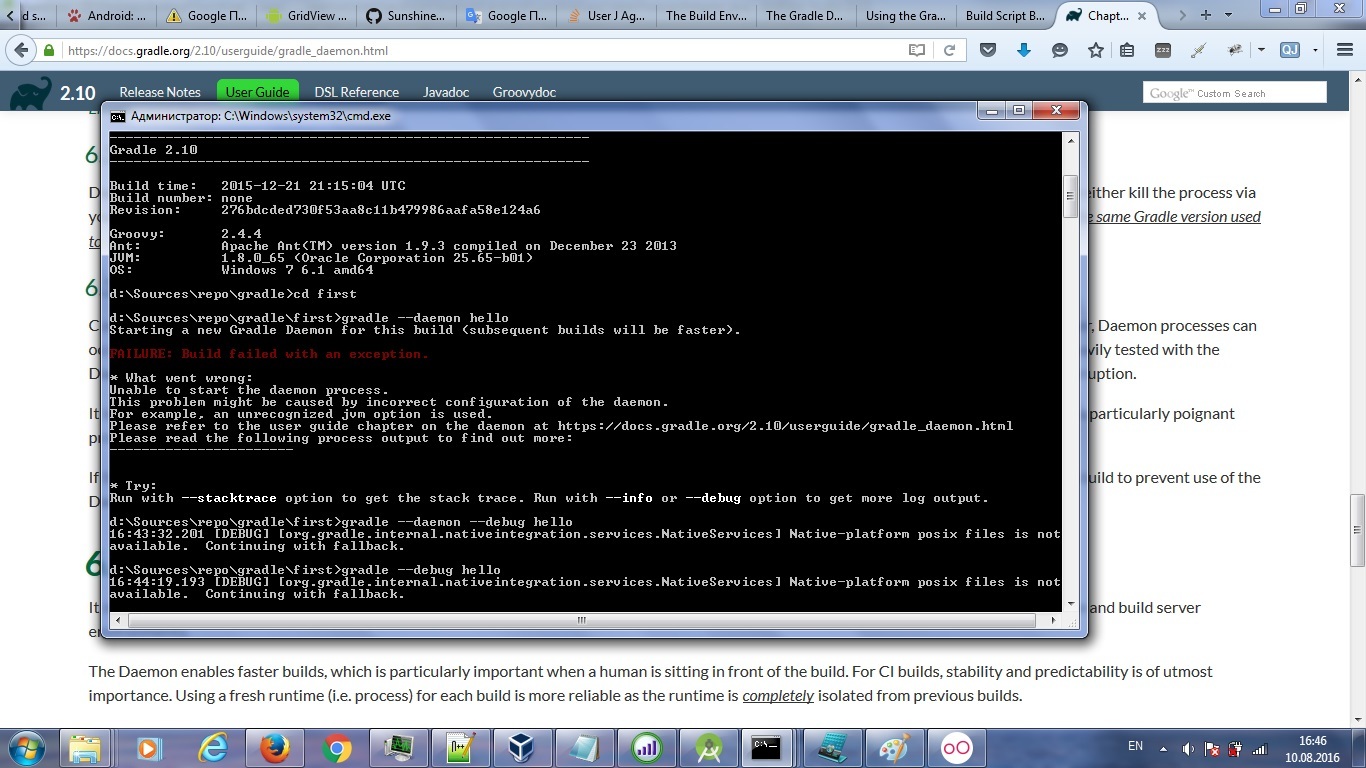
Downloaded Gradle from this site, install it. type in command line:
`gradle -v` - it’s ok
type:
`gradle --debug tasks or gradle --debug hello` - gets an error!
Native-platform posix files is not available.
What I can do? Or what you can do to check this error? I have a many projects to develop and I need to work.
---
### Author:  [@eskatos](https://discuss.gradle.org/u/eskatos)
#### Post date: [August 16, 2016, 1:18pm UTC](https://discuss.gradle.org/t/error-native-platform-posix-files-is-not-available/18936/2 "2016-08-16T13:18:19Z")
Hi,
The `DEBUG` log statement about posix files you get when using `--debug` is not an error.
Could you run gradle with the `-s` command line option so we can look at a proper stacktrace?